Photos That Actually Drive Bookings: A Practical Guide for Independent Restaurants
A warm, practical guide for independent restaurants on which photos matter most (dishes, dining room, staff, menus, bar, patio), how to shoot them with a phone, and how to use guest photos and reviews to fill visual gaps and boost online visibility.

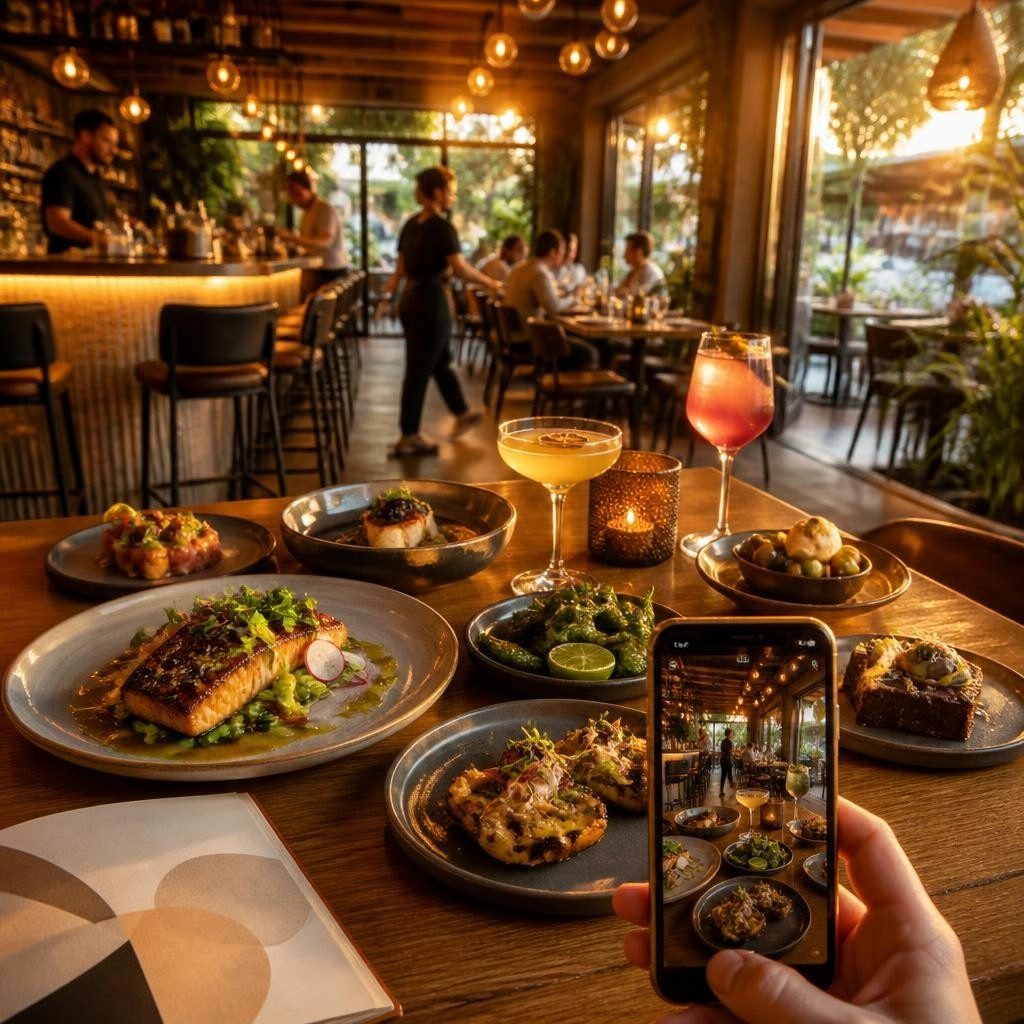
Why the right photos change how people choose where to eat
People decide where to eat with their eyes first. A clear, appetizing photo can move someone from curiosity to booking faster than a long menu description. For independent restaurants that already deliver great food and service, the problem is often that online visuals don’t reflect the experience in the room. Good photos reduce uncertainty—about portion size, atmosphere, and what to expect—and help search engines and recommendation systems recommend your place with more confidence.
Which shots actually drive bookings
Focus on photos that answer the common questions diners have: What does the food look like? How comfortable and lively is the dining room? Is there outdoor seating or a bar? Who’s serving me? Capture a representative main dish, a well-styled interior or dining area, the bar or patio if you have one, a readable menu shot, and at least one staff or hospitality moment. These types of images together create trust and help guests imagine their visit.
Dish photos: make the food look like the real thing
For plates and bowls, aim for two reliable angles: a slightly elevated 30–45° shot (which shows height and plating) and a flat/top-down shot for bowls or shareable plates. Use natural light when possible, avoid harsh flash, and shoot close enough to capture texture and garnish. Capture a few supporting details—sauces, a cut showing doneness, or a moment of steam—to convey freshness. Keep styling honest: the goal is appetizing accuracy, not an over-styled image diners won’t recognize.
Room, seating, and exterior: sell the atmosphere, not just the décor
Show the view guests will have when they arrive. Photograph the dining room at a time that reflects your typical vibe—quiet lunch light, cozy evening glow, or a lively weekend service. Shoot from corner angles to reveal depth, include a few shots with people (staff serving, guests chatting) to communicate warmth, and don’t forget the exterior so people can find your entrance. If you have a patio or private area, include it—seasonal outdoor seating can be a major draw.
Staff and hospitality shots: believable, human moments
Candid moments—servers presenting a dish, a bartender pouring a drink, a chef plating at the pass—tell a story about service and care. Ask permission and keep these shots natural and respectful. These images build connection and reassure new guests that the service matches the food. Avoid staged, overly posed photos; authenticity matters more than polish.
Menus, bar, and patio: functional photos that answer questions
A readable menu photo helps guests decide before they call; shoot pages straight-on with even light so text is legible. For the bar, capture signature drinks and the feel of the space—low light, bottles, and bartenders in action. Patio photos should show layout, shade, and proximity to traffic or views. These images remove practical doubts that can stop someone from booking.
How to take great photos with a phone—practical settings and habits
You don’t need a pro camera. Use these simple phone techniques: shoot in natural light when possible, tap to lock focus and exposure, hold steady or brace against a surface, and take multiple frames so you can pick the best. For low light, try night mode or a small tripod; avoid direct flash. Keep compositions simple: rule of thirds, negative space, and one clear subject. Save both horizontal and vertical crops so images work across Google profiles, social posts, and your website.
Using guest-generated photos and reviews to fill visual gaps
Guest photos are a goldmine because they show authentic experiences. Encourage guests to tag your restaurant and share images on social platforms—then, with permission, repost their best shots. Match customer photos to related reviews when possible: a great dessert photo paired with a short guest quote makes a persuasive social post or profile caption. Don’t coerce or incentivize reviews; instead, make it easy to share (clear handles, hashtags, and polite permission requests) and moderate what you repost so it aligns with your brand.
Where to put these photos so they work hardest
Be intentional about placement. Key spots include your Google Business Profile, your website’s homepage and menus, reservation listings, and social channels. Use a clear cover photo that reflects your everyday experience, rotate seasonal gallery images, and add captions that describe the dish or context—pairing images with simple guest language or factual details increases relevance for search engines and for people skimming quickly.
A simple photo checklist and next steps for busy owners
Quick checklist: 1) One hero dish shot and two supporting food angles; 2) Interior wide shot and at least one people-in-space photo; 3) Exterior/entrance; 4) Bar and patio if present; 5) Readable menu photo; 6) One staff/hospitality moment. Next steps: schedule a short phone-photo session during a calm service to capture these assets, encourage guests to tag and share, and review your Google and website galleries monthly to swap in seasonal images. If you want help turning these photos into optimized profile images, captions, and post copy—or using customer words to boost your Google visibility—RepUpgrade’s Local Trust Engine and profile optimization services are built to make those photos work harder without adding more to your plate.
Article by
RepUpgrade
Digital Cowboy helps consultants and small businesses turn their expertise into authority, trust, and opportunity. Through the ACT Framework—Authority → Conversion → Traffic—we connect clear positioning, expert conversations, articles, video, and community into a system that helps the right people discover and choose your business. RepUpgrade extends that approach through reputation. Our human-supported AI system turns customer feedback into on-brand review responses, social content, articles, and actionable insights. Established website, SEO, local marketing, and reputation agencies can add recurring revenue through co-branded or full white-label partnerships while controlling their pricing, brand, and client relationships.